Getting Started With The Python Programming Language
Thursday, June 11, 2026
More and more, programming skills are becoming essential knowledge in today's day and age. Whether it's to get you a new job, or to be able to automate workflows, knowing how to code is becoming the modern equivalent to knowing how to use a screw driver. Yet, there are plenty of people that I know who are clueless when it comes to programming. Which is why I am writing this blog post, to give total beginners and introduction into programming.
Buckle up, this is a long one.
Unlike some intro to programming courses, namely Harvard's CS50, I'm not going to start off with a low level programming language like C. I'm going to use a programming language called Python. A programming language is a written language you use to tell a computer what to do. I chose Python because it's much simpler to understand what's going on, and is more human readable.
So let's jump in and learn to program. We will be learning programming concepts by solving a problem, namely the LeetCode problem two sum. If at any point during this tutorial you become stuck or lost, feel free to reach out to me on Mastodon or through my Email. I am more than happy to help!
Code Editor And Compiler
Well, before we can jump in we need a few tools to aid us. The first is a code editing program. While you can edit code in just about any text editor (MS Notepad included), it's recommended to use a coding specific editor for features like syntax highlighting and error previews. By and far the most popular coding editor is MS Visual Studio Code. I personally use a command line editor called VIM, but you can use whatever is most comfortable for you.
Next we need a code compiler. A compiler is a program that compiles all of our code from a high level language that we can read into a low level language like machine code that a computer can run. Python has it's own compiler that you can download here.
Files, Functions, And Variables
Now that we have our tools set up, we can write our first line of code. Start by creating a folder anywhere on your computer called two_sum. This folder will contain all of our project files. Next make an empty file called main.py. Note the file extension, .py. This is the file extension for all Python files. The name of the file doesn't matter, I chose main since it's a staple of programming.
Next we're gonna open up the main.py file in our chosen code editor. It should open an empty file. Write in this file the line print("Hello, World!"). If we compile and run this program, we should see the words Hello, World! print out on the console screen, just like in the screenshot below.
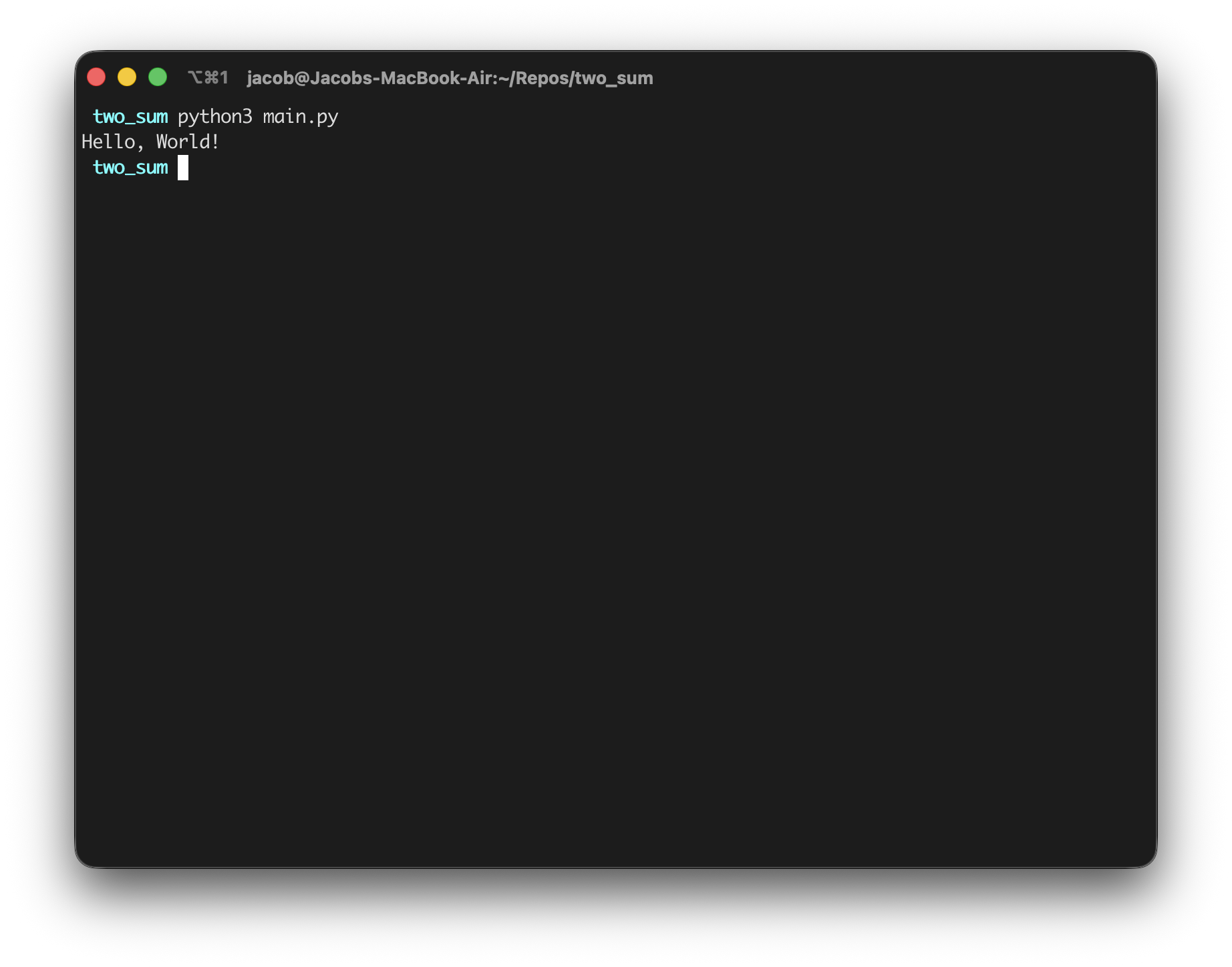
So what did we just do? We told the computer to print out the words Hello, World! onto the computer screen. What we did was call the print function. A function is a block of code that runs when a specific keyword is called. In this case, we used a function that is built into Python, however we are fully able to define our own functions. To do so, follow the format below:
def keyword():
    # Put some code here to run
What happens here is we are telling the compiler that we are about to define a function with the def keyword. Then we name our function, in this example keyword is used. We add the parenthesis and colon to show that there are no arguments (more on that later) and that the following lines of code will make up our function code. Python likes to use indentation to denote what is or isn't part of a function, so we need to indent the code we're running. You can use either spaces or tabs to indent, but you have to stick with one or the other or the compiler will yell at you.
Let's make a simple function called printhello that will print Hello, World! to the console. Then we will call the function, so that it runs. The file should look something like below:
def printhello():
    print("Hello, World!")

printhello()
Now if we run this file, it should do the same thing as before.
Next, we're going to introduce variables. Variables are a way for us to store data or values into keywords that we can call on or access later. Variables are initialized differently that functions, as they fundamentally do different things. Initializing a variable is as simple as saying the keyword (or variable name) is equal to the data we want to store. Take the below code for example.
string = "Hello, World!"
print(string)
As you can see, we stored the text Hello, World! into the string variable, and called the data again when we ran the print function. Variables can hold all types of data, for more information on data types I recommend you read the W3Schools guide to data types. We can even store other variables in variables, such as with math equations, like below.
a = 5
b = 7
c = a + b

print(c)
If we run the above code, we should just have the number 12 print on the console.
Now, what if we wanted to pass variables into a function we define? That is what's called an argument. If we look at the code snippet below, we can see that we are defining a function, and saying that it will take two arguments to properly function. In return, when we call the function we will need to pass some sort of arguments to run it. Don't freak out about the import keyword, we'll get to that in a second.
import math

def pythagoras(a, b):
    c = math.sqrt(a**2 + b**2)
    print(c)

a = 5
b = 7
pythagoras(a, b)
Another cool thing we can do with functions is return data. Doing that is as simple as the return keyword. If we modify our code from above to return the value of c, it'll look something like this:
import math

def pythagoras(a, b):
    c = math.sqrt(a**2 + b**2)
    return c

a = 5
b = 7
c = pythagoras(a, b)

print(c)
Now what if we have multiples of data that we want to store into one variable? Luckily we have arrays for just that purpose. Arrays are defined like so:
names = ["Jacob", "Brittany", "Jeff"]
And how do we access the data in the array? By indexing. We simply address which position in the array we want the data. Do note, in programming counting starts at 0, not 1.
names = ["Jacob", "Brittany", "Jeff"]

jacob = names[0]
brittany = names[1]
jeff = names[2]
And that's the basics. Now let's move onto something a little more complex.
Libraries, Loops, and Logic
In talking about functions I mentioned the import keyword. As it implies, it imports information into our code that we can use. What kind of information? Well, we use import to import code libraries and code from other files in our project.
But what is a code library? The best way to think of it is like a toolbox. When we import a code library, we're telling our compiler "Hey, I want to use a tool from this toolbox." So in the earlier example above, we imported the math toolbox, so that we could use the sqrt tool.
We can use import to bring in functions from other files as well. In our two_sum folder, let's make a new file called logic.py. Fill it in with the code below:
import math

def pythagoras(a, b):
    c = math.sqrt(a**2 + b**2)
    return c
Now, let's adjust our main.py file to look like this:
from logic import pythagoras

a = 5
b = 7
c = pthagoras(a, b)

print(c)
If we then run main.py in our compiler, it should output a value of c in the ballpark of 8.6.
Now we introduced another keyword, from in the main file. What this line is doing is saying hey, only import this one tool from this toolbox. This is so that we don't have to write logic.pythagoras and only have to write the function name pythagoras.
Next let's talk loops. Let's say we have a repetitive set of tasks we need to get done. Take scanning groceries at the check out for example. For each item in your grocery cart, you scan that item. Pay attention to that wording. For Each item in your grocery cart. If we were to write that in code, it would look something like this:
for item in cart:
    scan(item)
Instead of writing scan(item) over and over again, we just have to write it once inside of a for loop. Let's say we have a pre-determined number of times we need to do a task. Say crack an egg twelve times. How do we do that? Like below:
for egg in range(12):
    crack(egg)
The range keyword will return a series of numbers starting from 0 up to 1- which ever number is supplied as an argument.
Now what if we want to run a loop only while a certain condition is true. Luckily that exists in coding and in Python too. the syntax is as follows:
while true_statement:
    # Do some code here
Let's look more into this true_statement bit. Logic is a big part of programming. Is something true? Is it not true? What do we do if something doesn't match up? These are logical operators.
Let's go back to our shopping cart example. Sometimes items are too heavy to be lifted up onto the scanning table. So what do we do? We use the scanner gun. How does that look like in code? Something like the below:
for item in cart:
    if is_heavy(item):
        scan_gun(item)
    else:
        scan_swipe(item)
We go through each item in the cart, check if it's heavy, and scanning it appropriately based on that feedback. Logical operators are very important in coding. For more on this, please read up on the W3Schools web tutorial.
The Two Sum Problem
Now, we have enough tools in our tool box to tackle the problem we set out to solve. Let's dive in.
The problem is simple, given a series of numbers and a target number, find the two numbers in the series that add up to the target. Easy enough, let's solve this issue logically before we start writing code.
We start by looking through the series of numbers, and see if any of th eother numbers match the target minus the number we're looking at. If it does, we'll note the position of that number in the series. Once we have the position of both the answer numbers, we return the positions.
So how do we do that in code? Well, let's start with looking through the seties of numbers. We're going to make a function that will do what we just described above. Clear out your main.py file, and restart it with the following line of code:
def two_sum(nums: List(int), target: int) -> List(int):
This function definition looks a little different than how I described above. What's going on, is that we're providing what type of data we should expect from our arguments, and what type of data we should expect our funtion to return.
Now, we're going to initialize a variable to hold our position data to return. To define a variable without putting data in it first, do the following:
def two_sum(nums: List(int), target: int) -> List(int):
    m = {}
The designation m is arbitrary, and you can use whatever name for the variable you want.
Now, we need to step through the nums List and keep track of our position. We do so by using a Hash Map. A Hash Map is another way to hold different data points. We're going to look through each number in nums and keep track of the position and value, like below:
def two_sum(nums: List(int), target: int) -> List(int):
    m = {}
    for i, x in enumerate(nums):
The function enumerate just puts our list into a more machine friendly list that we can look through.
Next we're going to do some seemingly out of order things. I'll show you the code, then walk through it. At the end, your function should look like this:
def two_sum(nums: List(int), target: int) -> List(int):
    m = {}
    for i, x in enumerate(nums):
        y = target - x
        if y in m:
            return [m[y], i]
        m[x] = i
So what did we do here? Firstly, we added a line to store the expected value based on what the target minus what our current value is. Then, we check to see if that value exists anywhere in the array m. If it does, we return what the index of where that value is, as well as the index of where we currently are in the nums list. Finally, we mark our index in the m array at the position of our value.
And that's it! Simple, right? If you've read this far I want to say thank you for reading through this. I sincerely hope you have learned something new today with this article.
Lastly, if you liked this kind of blog post please reach out and let me know! I'll happily accept an email, private message on my socials, anything. I want to write more of this style of blog post, but would like to see if at least 10 people want it first. Anywho, see you in the next one (hopefully)!
Thanks, Jacob